AI for small business: what's worth using now
Practical ways to use AI in your marketing and your business, and where you still need a person.
Book a call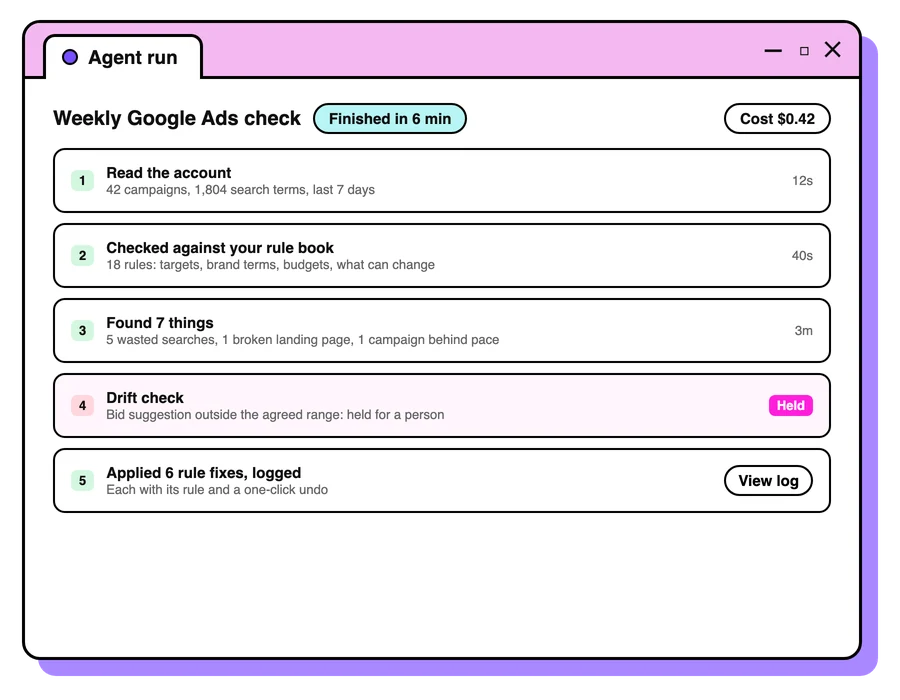

AI tools can save a small business owner hours every week, and many are already trying them. In June 2025, the federal government's AI Adoption Tracker showed 41% of small and medium enterprises adopting AI. The same tools can also produce confident, generic work that sounds like everyone else. The difference is how you use them. Here's what's worth doing now.
Three kinds of AI to think about
- AI built into the tools you already use. Google Ads and Meta now use AI to choose who sees your ads and which version to show. Your job is to give it good inputs: accurate conversion tracking, strong creative and clear goals.
- AI you use to do the work. ChatGPT, Claude, Gemini and similar tools for drafting, research, summarising and analysis.
- AI your customers use to find you. More people now ask ChatGPT or read Google's AI answers before they choose a business. Being recommended there is becoming its own kind of marketing.
Where AI helps most
- First drafts. Emails, product descriptions, social posts, job ads and replies to reviews, for a person to edit.
- Research. Summarising what competitors say, what customers ask in forums, or what a new regulation means for you.
- Making sense of data. Paste in a sales export or survey results and ask what stands out, then check the answer.
- Admin. Meeting notes, quotes, rosters, and turning a rough brief into a checklist.
- Customer questions. A well-trained chat assistant can answer common questions out of hours, with a clear way to reach a person.
How to brief AI so the work is useful
Treat it like a capable new team member who knows nothing about your business. Michelle Bourke, our founder, put it this way on the Critical Few Actions podcast: “AI is, Much better at taking step by step briefing instructions than it is at being given a brief as a whole.”
- Give it context: who you are, who your customers are and how you sound. Paste in examples of your own writing.
- Break the job into steps and check each one before moving on.
- Ask it to show its sources, and check them.
- Edit the result so it sounds like you. AI's first draft tends to sound like everyone else's.
Where AI falls short
AI can only work with what it's given. As Michelle said on the same podcast, “AI is only good with the data that it’s got.” If your tracking is wrong or your customer insight is thin, AI will confidently build on it. It also gets facts wrong, invents sources and struggles to capture a brand's personality, so keep a person checking anything that goes to customers or touches money.
Staying safe with AI
- Don't paste customer details, passwords or confidential documents into public AI tools. Use business versions with data protection where you can.
- Check claims and figures before you publish them.
- Be open with customers when they're talking to an AI assistant.
- Keep a person responsible for anything AI changes in your ads, prices or customer messages.
Make sure AI recommends your business
When someone asks ChatGPT for the best business like yours nearby, are you named? AI tools draw on your website, your Google Business Profile, reviews and what other sites say about you. Our free AI visibility check shows where you stand, and our guide to generative engine optimisation explains how to improve it.
Curious how we use AI ourselves? Here's how.
How small businesses can use AI day to day
The easiest way to find good uses is to look at your week and ask which tasks are repetitive, text-heavy or slow to start. Here are practical starting points for small businesses, by area of the business.
Marketing
- Turn one blog post or video transcript into several social posts and an email, then edit them in your own voice.
- Write ten versions of an ad headline so you have options to test, and keep the two or three that sound most like you.
- Summarise your Google reviews into themes, so your ads and website use the words customers use.
- Draft image descriptions (alt text) and product descriptions from your notes.
Sales
- Before a sales call, summarise the prospect's website and recent news so you arrive prepared.
- Turn rough call notes into a tidy follow-up email or proposal outline.
Operations and admin
- Record yourself walking through a task, then ask AI to turn the transcript into a step-by-step guide for new staff.
- Turn a long supplier document or contract into a plain-English summary, then check the parts that matter against the original.
- Draft polite payment reminders, rosters and checklists.
Customer service and chatbots
A chatbot on your website, or in Facebook Messenger, can answer common questions at any hour: opening times, prices, delivery, how to book. AI chatbots can now read your own FAQs and policies and answer in plain language, which makes them far more useful than the old menu-style bots.
Setting up a chatbot that helps
- Start with your most common questions. Go through recent emails, messages and calls and list what people ask most. That list is the chatbot's job description.
- Give it your approved answers. Load your FAQs, prices, policies and service areas, and tell it to answer only from those.
- Set clear limits. Decide what it must hand to a person, such as complaints, refunds, bookings that need judgement, and anything medical, legal or financial.
- Make reaching a person easy. Every conversation should offer a phone number, a form or a live handover.
- Tell people it's an AI. Customers are more forgiving of a bot when they know it's a bot.
- Read the transcripts every week. Fix wrong answers, and turn new questions into FAQs on your website.
Treat its answers like anything your staff say. Prices, refunds and promises need to be accurate, because misleading claims to customers can breach the Australian Consumer Law. The ACCC's guide to false or misleading claims sets out the rules.
What AI enablement means for a small business
AI enablement is getting your business ready to use AI well, so it becomes part of everyday work across the team. For small businesses it comes down to five things:
- Tools. Choose business plans with admin controls and data protection, and agree which tools the team uses.
- Your information. Gather what AI needs to do good work in one place: your services and prices, FAQs, a short guide to how you sound, and examples of your best emails and pages.
- Rules. Write a short AI policy: what it can be used for, what must never go into it and who checks the results.
- Skills. Show the team how to brief AI step by step, and share the prompts that work.
- Measurement. Pick two or three tasks, time them before and after, and keep using AI where it saves time without lowering quality.
Start small: one task, one tool and one month. Once it's working, add the next.
Privacy and customer data
Small businesses hold plenty of personal information: names, phone numbers, addresses, purchase history and sometimes health details. Before any of it goes into an AI tool, find out where the data is stored, whether it's used to train the provider's models, who can see it and whether you can delete it.
- Turn off model training on your data wherever the tool allows it.
- Remove names and other identifying details before you paste in customer information.
- Limit who in the team can use AI tools with customer data.
- Update your privacy policy if you use AI with customer information.
The OAIC has published guidance on privacy and commercially available AI products. Many small businesses with an annual turnover of $3 million or less are exempt from the Privacy Act, though some are covered whatever their size, such as health service providers. The OAIC's small business page explains who's covered. Either way, customers expect their details to be handled with care.
Keep human oversight on what AI does
Decide in advance what AI may do on its own and what needs a person. A simple three-level rule works for most small businesses:
- AI drafts, a person approves: customer emails, ads, social posts and website copy.
- AI suggests, a person decides: pricing, hiring, budgets and anything that changes what customers pay or receive.
- A person does it: legal, medical and financial advice, complaints and sensitive conversations.
That's how we work with AI ourselves. Tested workflows can apply rules that people have written and signed off, and new campaigns, ads, budget changes and bidding changes always wait for a person to approve them. Good oversight keeps the speed of AI and the judgement of your team.
How a small business owner can test AI in one month
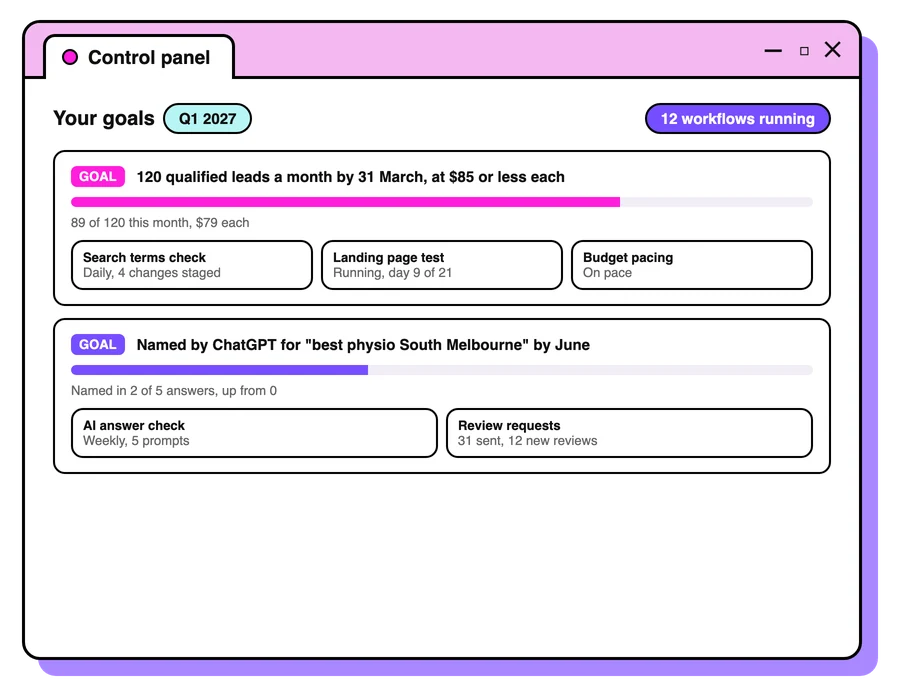
The quickest way to find out whether AI is worth it is to time one task before and after. Here's a hypothetical example. Say a South Melbourne physio clinic owner spends about four hours a week on appointment reminders, social posts and replies to Google reviews.
- Week 1: time the task as it is. Four hours across the week, written from scratch.
- Week 2: set up one tool. Choose a business plan with model training switched off, and give it one resource to work from: the clinic's FAQs, a short guide to how the clinic sounds and five past posts and replies. No patient names or health details go in.
- Weeks 3 and 4: AI drafts, the owner approves. Every post, reminder and review reply is read and edited before it goes out.
- End of the month: compare. If drafting now takes an hour and a half a week, that's two and a half hours saved, or about ten hours a month. Then check quality: were there fewer typos, did any draft get a fact wrong, and do the review replies still sound personal?
If the time saved holds up and the quality does too, keep it and pick the next task. If the owner spends as long fixing drafts as writing them, drop that task and try a different one. One task at a time keeps the test honest and the risk small.

Questions people ask
What is the best AI tool for a small business?
The general assistants (ChatGPT, Claude, Gemini) cover most needs. Start with one, learn to brief it well, and add specialist tools only when you have a clear job for them.
Can AI do my marketing for me?
It can speed up a lot of the work, such as drafts, research and analysis. A person still needs to set the strategy, check the facts and keep it sounding like your business.
Is it safe to use AI with customer data?
Only in business tools with proper data protection, and only the data you need. Never paste personal or confidential information into a free public tool.
How do I get my business recommended by ChatGPT?
Make your website clear about what you do and where, keep your Google Business Profile complete, earn reviews and get mentioned on sites AI tools trust. Our free check shows where you stand.
Should my small business use a chatbot?
A chatbot suits businesses that answer the same questions often, especially outside business hours. Load it with your approved answers, set clear limits, tell customers it's an AI and always offer an easy way to reach a person.
What does AI enablement mean for a small business?
Getting the business ready to use AI well: choosing safe tools, gathering the information AI needs, writing a short AI policy, training the team and measuring the time it saves.
Do small businesses need an AI policy?
A short one helps. It should say which tools staff may use, what information must never go into them, and who checks AI work before it reaches customers.
Keep reading
Marketing for small business: where to start
Marketing for small business: where to start, what to spend first, which channels suit a small budget, and the simple tracking that shows what's working.
Read the guide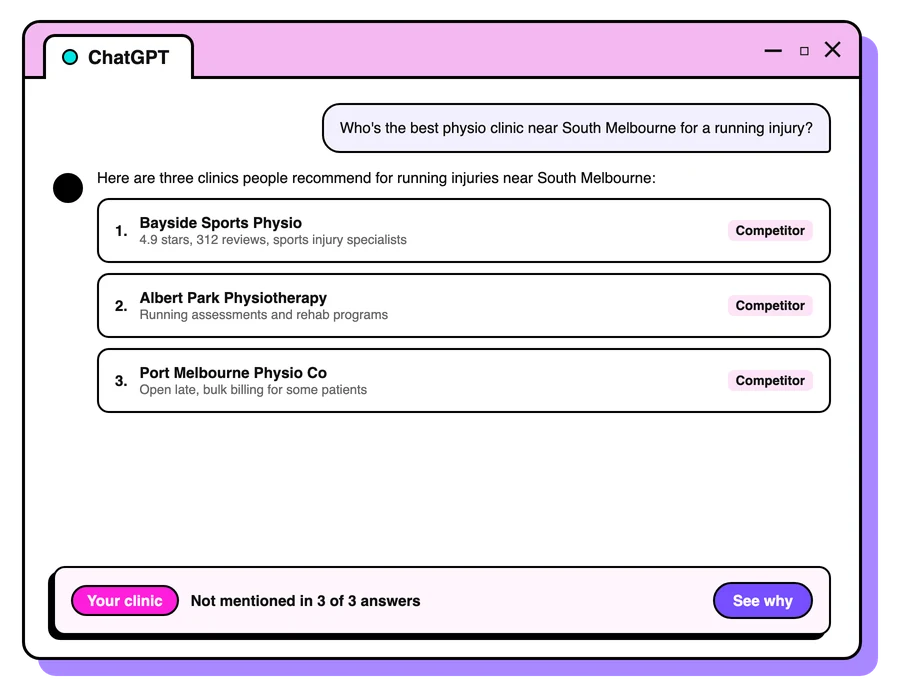
Melbourne AI visibility study
The AI visibility of Melbourne trades: how often AI recommends them, and how many of their websites can measure a lead. Original data, free to reuse.
Read the guide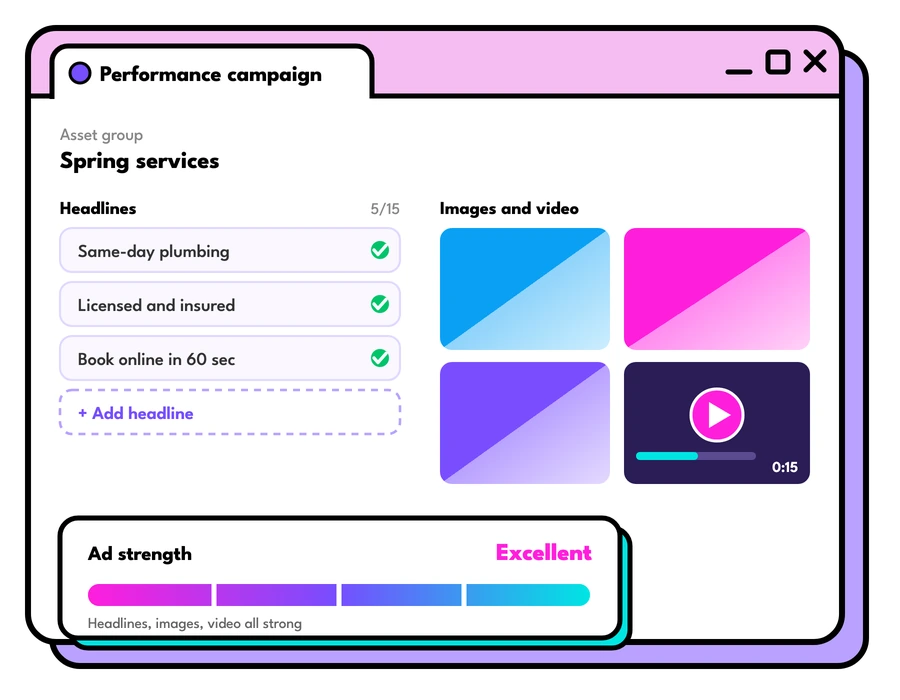
AI ads are here
AI ads are now part of Google and Meta. What AI-driven campaigns do well, where they go wrong, and how to keep people in charge of the decisions.
Read the guideLet's talk about your goals
Tell us what you're working towards and we'll show you where we'd start.
Book a strategy call