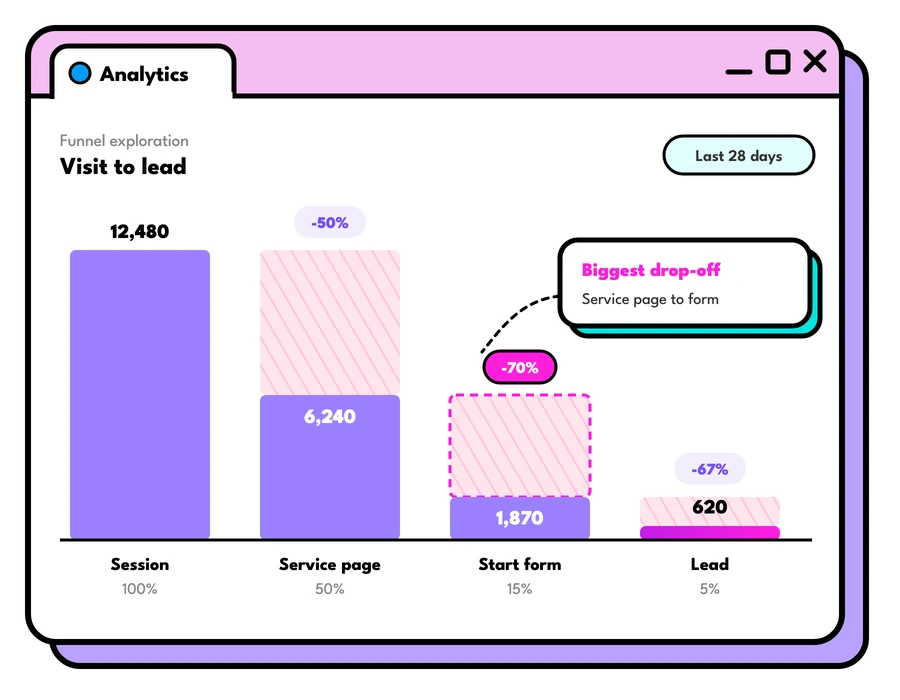

If your tracking is wrong, Google and Meta's bidding learns the wrong lessons and spends accordingly. A good Google Analytics consultant starts by checking what your site actually records, so that's where we begin. Then we fix what's broken and set up the events that matter: forms, calls, bookings and sales. Because let's be honest, nobody ever grew a business on page views!
How we do tracking better
Good tracking is about more than installing a tag. It's about:
- Checking what your site actually records in a real browser, before we change anything
- Counting the actions that matter: forms, calls, bookings and sales
- Connecting GA4, Google Ads, Meta and your CRM so every platform learns from the same results
- Reporting in plain English, with numbers you can check against your own records




Tracking you can trust, so every dollar can be traced.
We set up and look after tracking in four key areas. Scroll down or click one of the links below to learn more about each one:
Google Analytics 4
Universal Analytics stopped processing data on 1 July 2023, and GA4 works quite differently: everything is an event, and the actions that matter are marked as key events (what GA4 used to call conversions). Many sites moved across in a rush and have been counting the wrong things ever since.
We audit your GA4 property, fix what's broken and set it up around your business: the right key events, clean traffic sources, filtered internal visits, and links to Google Ads and Search Console.
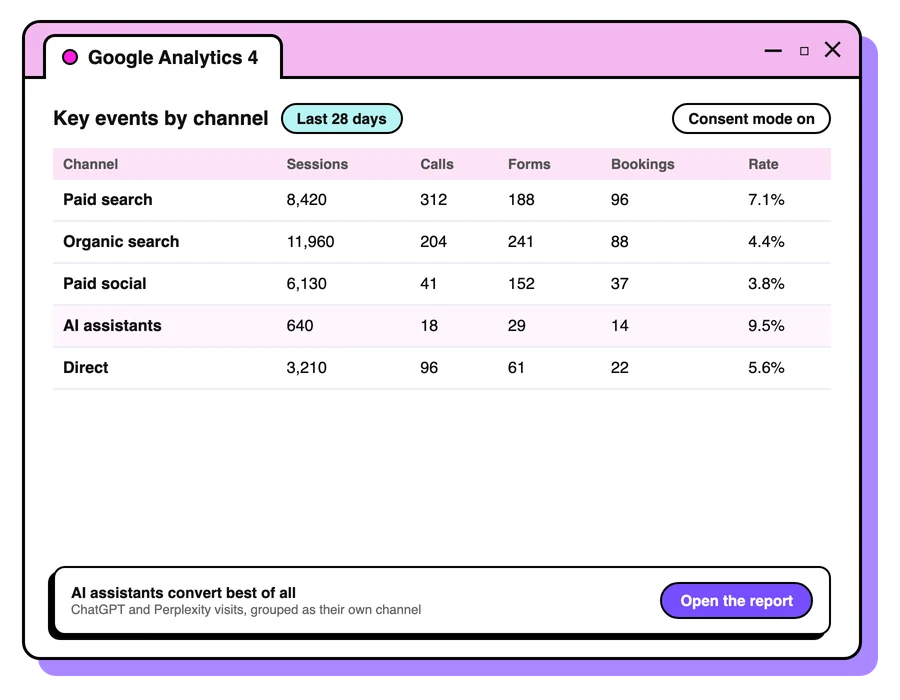
GA4 audit
What's recording, what isn't, and what's double counting, in order of what it's worth to fix.
Key events

Forms, calls, bookings and sales set up as key events, ready to import into Google Ads.
Reports and explorations

Built around the questions you actually ask.
Tag Manager and server-side tracking
Google Tag Manager keeps every tag on your site in one place, so tracking can change without a developer each time. We set it up, tidy containers that have grown messy, and document what each tag does.
Browsers and ad blockers drop more tracking every year. Server-side tagging, and Google tag gateway (which serves Google's tags from your own domain), can recover some of that signal. We'll tell you whether it's worth it for your site.
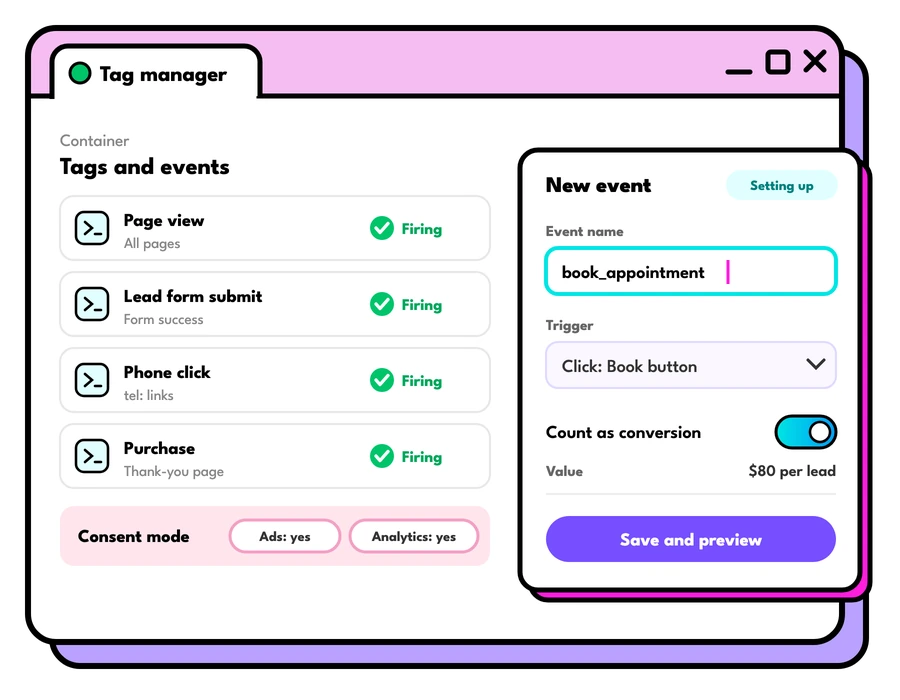
Google Tag Manager

Set up, cleaned up and documented.
Server-side tagging

First-party tracking where it pays for itself, including Google tag gateway.
Consent settings

Consent mode and cookie banners set up where your audience needs them.
Conversion and call tracking
Ad platforms bid on what you tell them is a result. We set up conversion tracking in Google Ads and Meta, including enhanced conversions and the Meta Conversions API, so each platform learns from real enquiries and sales.
For businesses that live on the phone, call tracking shows which ads and pages made it ring. And where it fits, we feed back which enquiries became real work from your CRM, so the platforms can find more people like your best customers.
Google Ads conversions

Including enhanced conversions, matched to your GA4 key events.
Meta pixel and Conversions API

Browser and server events, set up so they aren't counted twice.
Call tracking

So you can see which ads made the phone ring.
Offline conversions

Feeding qualified leads and sales back from your CRM.
Dashboards and reporting
A dashboard is only useful if someone reads it. We build live dashboards around the decisions you make, from the CEO's one-page view to the detail a marketing team needs, and pair them with plain-English reports that say what happened, why and what to do next.
We've built dashboards in GA4 and Adobe Analytics for organisations from museums to insurers, and we're just as happy keeping it simple for a small business.
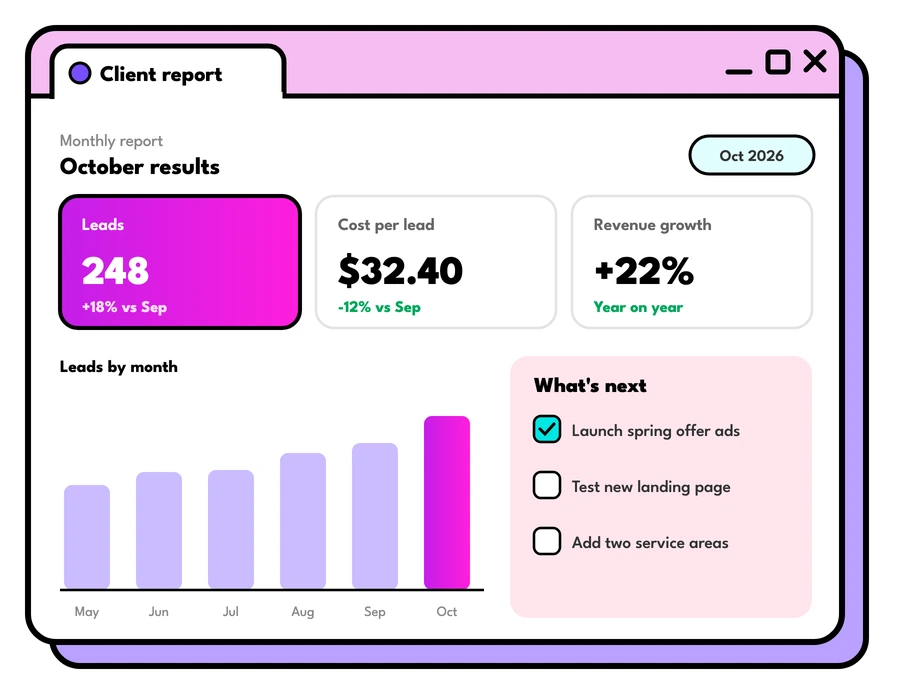
Results from our analytics work

60%
Traffic drop after a domain migration, with issues identified within two days and the pre-migration peak re-established within a few weeks.

344%
Increase in conversion rate, with analytics set up and tagging alongside paid digital and SEO. Read the case study

37%
Traffic above goal, with live dashboards and automated notifications through a 10,000+ page ecommerce migration.

Australian Museum
- Led the SEO and analytics strategy for the migration of a 65,000+ page website to a new CMS
- Spotted the cause of a 60% traffic drop within two days
- Re-established the pre-migration traffic peak within a few weeks
- Worked alongside the museum's own analytics team
You all know your crafts so well and it just makes things so much more straighter-forward especially when troubleshooting, which is as you know not always the case! It has been an absolute pleasure working with you.Jen Cork, Senior Analytics Manager, Australian Museum
How long does a GA4 implementation take?
For most businesses, a GA4 setup or rebuild takes two to six weeks from audit to sign-off. A small site with a contact form and a phone number sits at the short end. An online store with several domains, a CRM and server-side tagging sits at the long end.
Here's how the time usually breaks down:
- Week 1: Audit and measurement plan. We check what your site records today in a real browser, and agree which actions count as key events.
- Weeks 2 to 3: Build. Tag Manager, GA4 events, conversion tracking for Google Ads and Meta, and consent settings, built and tested on a staging copy of your site where you have one.
- Weeks 3 to 4: Test and launch. We test every event against real form submissions, calls and orders, then publish.
- Weeks 4 to 6: Check the data. We compare GA4 with your own records for a couple of weeks and fix anything that doesn't line up.
Two things are worth knowing before you start. GA4 only records data from the day it's set up correctly, so it can't fill in history that was never collected. And standard GA4 properties keep detailed event data for either two months or 14 months, so we check that setting on day one.
Google Analytics consulting, start to finish
Our Google Analytics consulting covers the whole job, from the first audit to the dashboards your team reads each week.

Measurement plan
A one-page list of what we track, why, and where each number shows up.
Looker Studio dashboards
Live dashboards in Looker Studio, Google's free reporting tool, joining GA4, Google Ads and Search Console.

Insight you can act on
Each report says what changed, why it changed and what we'd do next.

Training for your team
Short sessions so your team can find their own answers in GA4.
Ongoing checks
We watch for tracking that breaks after a site update, and fix it before the data goes missing.
When to call a Google Analytics consultant
Most people get in touch with us at one of these moments:
- Your website is being rebuilt or moved to a new platform, and you want your tracking to survive the move
- Google Ads or Meta report more sales or leads than you can see in your own records
- Your GA4 property was set up in a rush and nobody trusts the numbers
- You're about to increase ad spend and want to know which campaigns really bring in work
- Your team spends hours each month building reports by hand
If any of these sound familiar, start with our free check. It shows which tracking loads on your site in a couple of minutes, and gives us a starting point for a proper consulting conversation.
From data to insight
Good analytics consulting ends in a decision. When the Australian Museum's traffic fell 60% after a domain migration, the job was finding the cause fast, and we identified the issues within two days. That's the standard we hold every analytics project to: numbers you can trust, and insight your team can act on the same week.
Reporting in Looker Studio
GA4's own reports suit analysts. Most teams read a dashboard instead, so we build them in Looker Studio, which is free and connects to GA4, Google Ads and Search Console. Each one is built around the few numbers that person needs to make their next call.
Ways to work with us
Start small or hand it over. Every way comes with the same people and the same checks.
A free review of your ads
For businesses already spending on Google or Meta.
- We look through your account and tracking
- You get what we'd change, in plain English
- No obligation, whether or not you work with us
Free
Ask for a free reviewWe run your tracking for you
For businesses that want it done well, without the hours.
- Strategy, set up and daily management, AI-assisted
- A named person who knows your account
- Monthly reporting on leads and sales, in plain English
A fixed price before you sign
Book a callYour whole marketing team, AI-powered
For businesses that want everything done, every week.
- Google Ads, Meta, creative, SEO, tracking and AI CRO, all included
- Our AI agents work on it every day, a specialist signs off every change
- Weekly updates, a scored re-audit every quarter and monthly credits for growth projects
From $10,000 a month, plus ad spend
Ask about the AI planSome love from the brands we've worked with
Deep, specialist expertise is Foresight Digital’s core asset.
Dealing with your team has really opened up the team’s eyes to what is possible and the level of professionalism they should be expecting of other agencies, and delivering in return as a client.
Let's talk about your goals
Tell us what you're working towards and we'll show you where we'd start.
Book a strategy callWhat else is worth asking? Glad you asked!
What does a Google Analytics consultant do?
A Google Analytics consultant checks what your analytics is recording, fixes what's wrong, and sets it up to answer your business questions: which channels, ads and pages bring in enquiries and sales. We also connect it to your ad platforms, so their bidding learns from the same results.
What happened to Universal Analytics?
Standard Universal Analytics properties stopped processing data on 1 July 2023, and Google Analytics 4 replaced them. If your setup was moved across in a hurry, it's worth an audit: we often find key events missing, double counted or never firing.
Why don't GA4 and Google Ads show the same numbers?
They count differently. Google Ads gives credit to the date of the ad click and uses its own attribution, while GA4 reports by the date of the action and shares credit across channels. Small differences are normal. Big ones usually mean something is set up wrong.
Do I need server-side tracking?
Not always. It can recover data lost to browsers and ad blockers, but it adds cost and upkeep. For many businesses, Google tag gateway, enhanced conversions and the Meta Conversions API get most of the benefit for much less. We'll recommend what fits your site and budget.
Is Google Analytics 4 free?
Yes, the standard version of GA4 is free. Very large sites may need Google Analytics 360, the paid version, for higher limits and service levels.
Can you check my tracking for free?
Yes. Our free check loads your website in a real browser and shows which tracking actually loads, including Google Analytics, Google Tag Manager, the Meta pixel and call tracking. You see the results straight away.